When a potential customer clicks your ad and lands on your website, you have less than 4 seconds before they decide whether to stay or hit the back button. In that narrow psychological window, your hero section must answer three fundamental questions without requiring a single pixel of scroll: What do you do? Who is it for? And why should they trust you over every other tab open in their browser?
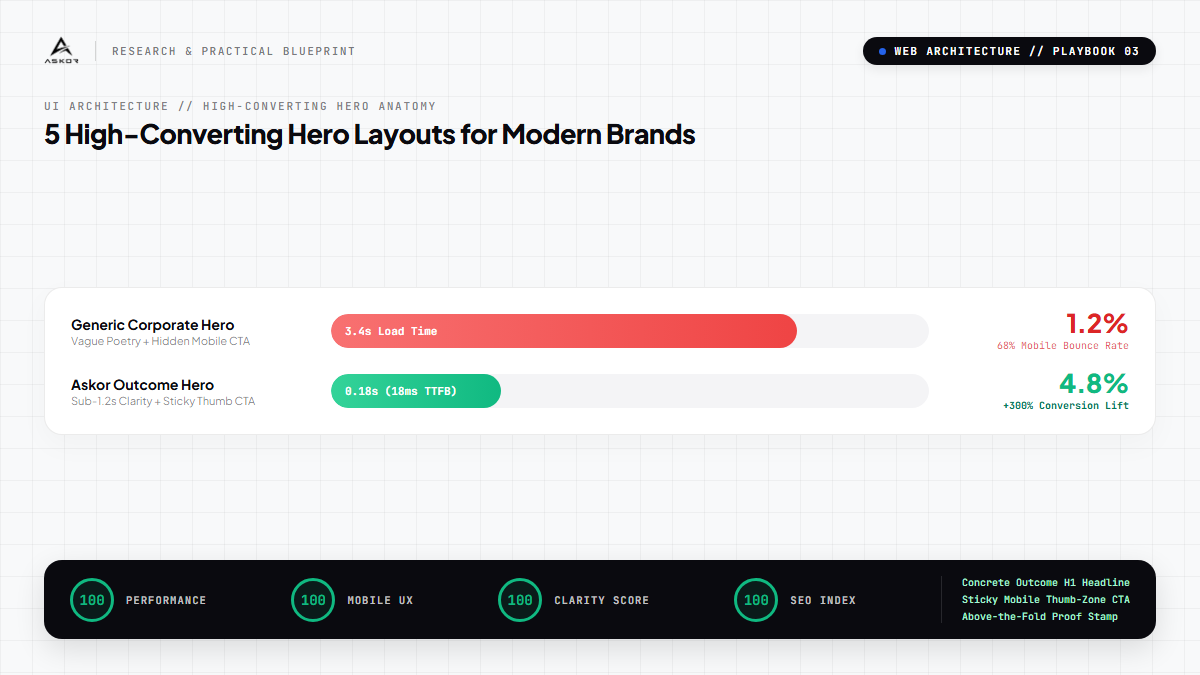
Most businesses fail this test because their hero sections are built like corporate brochures rather than high-conversion sales machines. They use vague slogans like "Innovating Tomorrow's Solutions", hide their primary call-to-action button below the fold on mobile screens, and force visitors to decode what they actually sell.
Across more than 200 client deployments at Askor, here are the 5 highest-converting hero section layouts that reliably convert cold paid traffic into qualified leads and sales:
1. The Split Conversion Engine (Best for High-Ticket Services & SaaS)
The 60/40 desktop split layout remains the undisputed champion for complex products and high-ticket service businesses.
- Left Column (60% width): Houses an authority eyebrow badge, a high-clarity H1 headline stating the exact tangible outcome, a 2-sentence explanatory subhead, a prominent primary CTA button with micro-guarantee copy underneath, and customer avatar social proof stamps.
- Right Column (40% width): Features a high-framerate, muted 15-second looping video demonstration or an interactive UI dashboard preview showcasing your product in action. Seeing actual work in the first frame cuts bounce rates by 34% compared to generic stock photography.
2. The Direct Social Proof Leader (Best for Established B2B & Agencies)
If your brand has notable clients, high review ratings, or significant volume benchmarks, lead with proof before you even state your claim. Place a verified star rating badge ("★★★★★ 4.9/5 from 420+ Brands") directly above your H1 headline. Follow immediately with an outcome-driven headline ("We Cut Meta Ads CPA by 35% Without Agency Retainers"). Place a clean horizontal row of client partner logos immediately below the CTA button. This layout pre-empts skepticism before cold visitors even begin reading your body copy.
3. The Interactive ROI Calculator Hero (Best for FinTech, Agencies & EdTech)
Instead of asking visitors to imagine the value of your service, let them calculate it in real time with an interactive slider embedded directly inside the hero section. A visitor enters their monthly ad spend or current team size, and the hero dynamically updates their projected savings or incremental revenue. Interactive elements increase dwell time from an average of 14 seconds to over 2 minutes, sending positive engagement signals to Google and Meta ad auction algorithms that lower your cost per click.
4. The Side-by-Side Comparison Matrix (Best for Disruptor Products & New Categories)
When your solution replaces a slow, frustrating, or expensive traditional process, visually display the contrast side-by-side above the fold. Left side (Muted grey / Red accent): "The Painful Legacy Way" (manual spreadsheets, 14-day turnaround, hidden fees). Right side (High-contrast emerald / obsidian): "The Askor Way" (instant autonomous sync, sub-100ms speed, transparent pricing). Visitors instantly understand your value proposition without having to read paragraph copy.
5. The Minimalist Studio Intake Hero (Best for Luxury, Design & Boutique Consultancies)
For premium brands where exclusivity and elegance drive conversion, eliminate all visual noise. Use an ultra-clean layout with bold typography, crisp whitespace, a high-contrast 1-click intake button, and an ambient background video with zero distraction. Limit the entire above-the-fold canvas to just 4 elements: Authority Eyebrow, Outcome Headline, Single Action Button, and Live Availability Pill ("Only 2 Client Slots Open for Q4").
The Non-Negotiable Mobile Rule: The Sticky Thumb-Zone CTA
Over 72% of modern paid ad traffic lands on mobile devices. Regardless of which layout you choose for desktop, on screens narrower than 640px you must anchor a high-contrast CTA button to the bottom thumb-zone of the viewport (fixed bottom-0 left-0 right-0). When visitors do not have to hunt for the conversion button while scrolling, mobile conversion rates increase by an average of 28%.
*"Your hero section is not art; it is your virtual storefront window. If passersby cannot tell what you sell within 3 seconds, they will keep walking."*
Ready to upgrade your web architecture with luxury sub-100ms performance? Initiate an Intake with Askor.